ComfyUI Model Troubleshooting
A symptom-based ComfyUI model troubleshooting hub for SD1.5 vs SDXL, model folders, empty dropdowns, load errors, shape mismatch, and VRAM failures.
Quick answer
Most ComfyUI model problems fall into a short chain: model family, file type and folder, empty dropdown, load error, then VRAM or quality tuning. Do not start by reinstalling ComfyUI or rewriting prompts.
Recommended workflow
- 01
Start with symptoms, not reinstalling: Most ComfyUI model problems fall into a short chain: model family, file type and folder, empty dropdown, load error, then VRAM or quality tuning. Do not start by reinstalling ComfyUI or rewriting prompts.
- 02
Use the model debugging order: First identify the model family expected by the workflow. Then place each file by type. Next confirm that the node dropdown can see the file. Only after that should you diagnose load errors such as file not found, invalid header, shape mismatch, or CUDA out of memory.
- 03
Keep one small known-good baseline: For repairs, keep one checkpoint and one minimal text-to-image workflow that you know can generate. Test new files one at a time against that baseline before importing a large shared workflow.
Full tutorial notes
Start with symptoms, not reinstalling
Most ComfyUI model problems fall into a short chain: model family, file type and folder, empty dropdown, load error, then VRAM or quality tuning. Do not start by reinstalling ComfyUI or rewriting prompts.
If the dropdown is empty, ComfyUI has not discovered the model yet. If the dropdown can select the model but Queue fails, read the terminal error and move to load-failure debugging.
- Family first: SD1.5, SDXL, Flux, or another architecture.
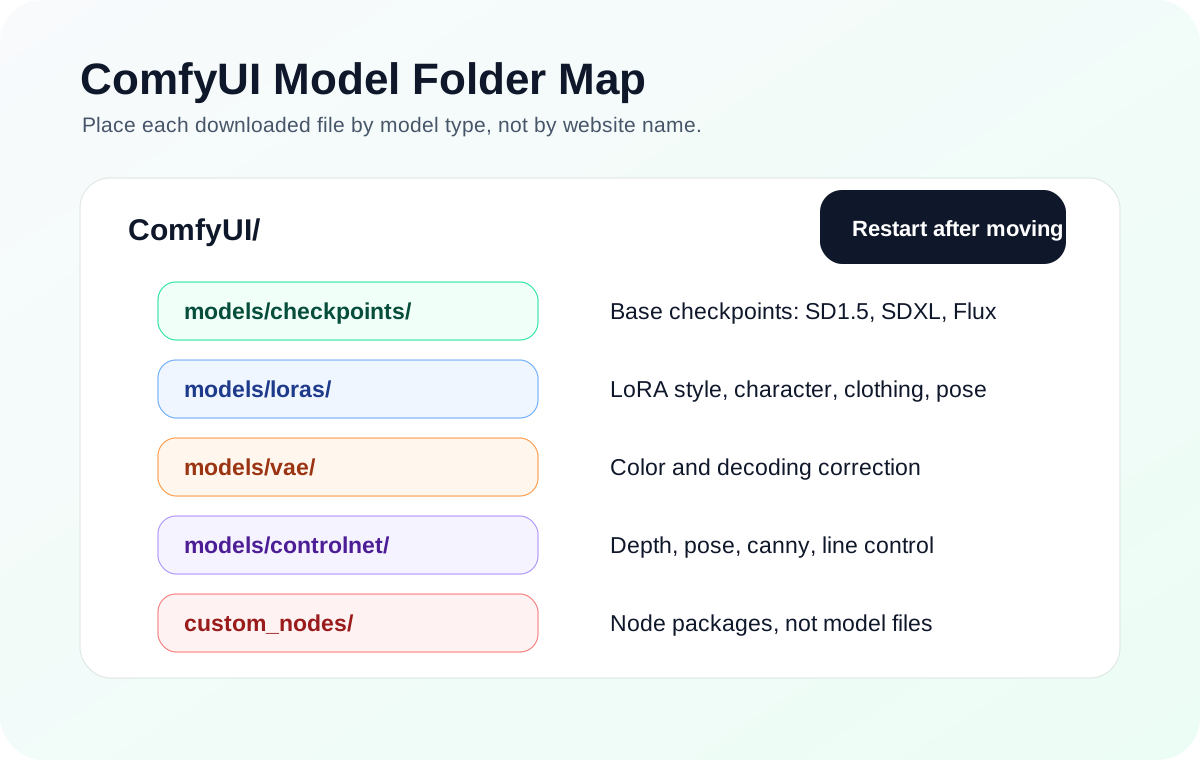
- Folder second: checkpoints, loras, vae, controlnet, and upscale models are separate.
- Discovery third: empty dropdowns are not prompt problems.
- Loading fourth: invalid header, shape mismatch, and CUDA out of memory need different fixes.
Use the model debugging order
First identify the model family expected by the workflow. Then place each file by type. Next confirm that the node dropdown can see the file. Only after that should you diagnose load errors such as file not found, invalid header, shape mismatch, or CUDA out of memory.
This order prevents circular debugging. A shape mismatch does not matter while the file is still invisible. Prompt tuning does not fix SD1.5 assets inside an SDXL workflow.
- Not sure SD1.5 or SDXL? Read the family guide.
- File is missing from the dropdown? Read the empty-dropdown guide.
- File appears but Queue fails? Read the model-load guide.
- LoRA or ControlNet does nothing? Recheck family and node compatibility.
Keep one small known-good baseline
For repairs, keep one checkpoint and one minimal text-to-image workflow that you know can generate. Test new files one at a time against that baseline before importing a large shared workflow.
When several errors appear at once, repair the checkpoint path first, then custom nodes, then LoRA or ControlNet branches, and only then upscale or advanced post-processing.
Check before you run
- Confirm the model family before downloading more files.
- Place each file in the folder that matches its type.
- Separate empty-dropdown problems from Queue-time load failures.
Common mistakes
- Reinstalling ComfyUI before reading the actual symptom.
- Treating SD1.5, SDXL, and Flux files as interchangeable.
- Debugging prompts while the model stack is still broken.
Success standard
- You know which guide to open for family choice, folder placement, empty dropdowns, or load errors.
- A known-good checkpoint can generate in a minimal workflow.
- Complex workflow failures are separated into nodes, models, VRAM, or image-quality tuning.
What to do next
- Open the SD1.5 vs SDXL guide if the family is unclear.
- Open model file paths if the destination folder is unclear.
- Open model-load-failed only after the dropdown can see the file.
Finished this guide? Return to the main path
If this guide solved a specific issue, return to the beginner setup, model path, CUDA VRAM, or workflow import route to keep going.
Need more context?
This English guide gives the direct working path first. The paired Chinese reference can provide extra screenshots, local download notes, and longer troubleshooting branches for the same topic.